On this page
The single-image Sponsored card is the format everyone writes about. The shopping unit is the one that matters more if you sell physical products, and it works on completely different inputs.
A Shopify-powered product-spotlight carousel with image, price, and checkout was added in March 2026. You do not upload a creative for it. It draws from your product feed, which means your feed is the ad, and feed hygiene stops being a back-office chore and becomes creative work.
Last verified: 2026-08-17. LocalAds makes product imagery and does not place ads or manage feeds. Confirm current requirements with OpenAI and Shopify before you build.
Feed as creative
With the single-image card you control everything: you choose the square, you write the title, you pick the landing page.
With the shopping unit you control almost nothing at ad time. The unit assembles from what your catalogue already says: the product image, the title, the live price, the availability. If your feed image is a grey-background packshot with a watermark and your title is Clutch Bag Red PU Leather Party Wear Ladies Handbag 2026 New, that is your ad. There is no creative layer to rescue it.
So the work moves upstream, and it is unglamorous: clean images, honest titles, accurate prices, correct stock states.
What the images need to be
Square, clean, product dominant, consistent across the catalogue. Same principles as the Sponsored card image, with one addition: consistency matters more here because your products appear in a carousel next to each other and next to competitors.
A studio treatment on a plain background is the safest default:
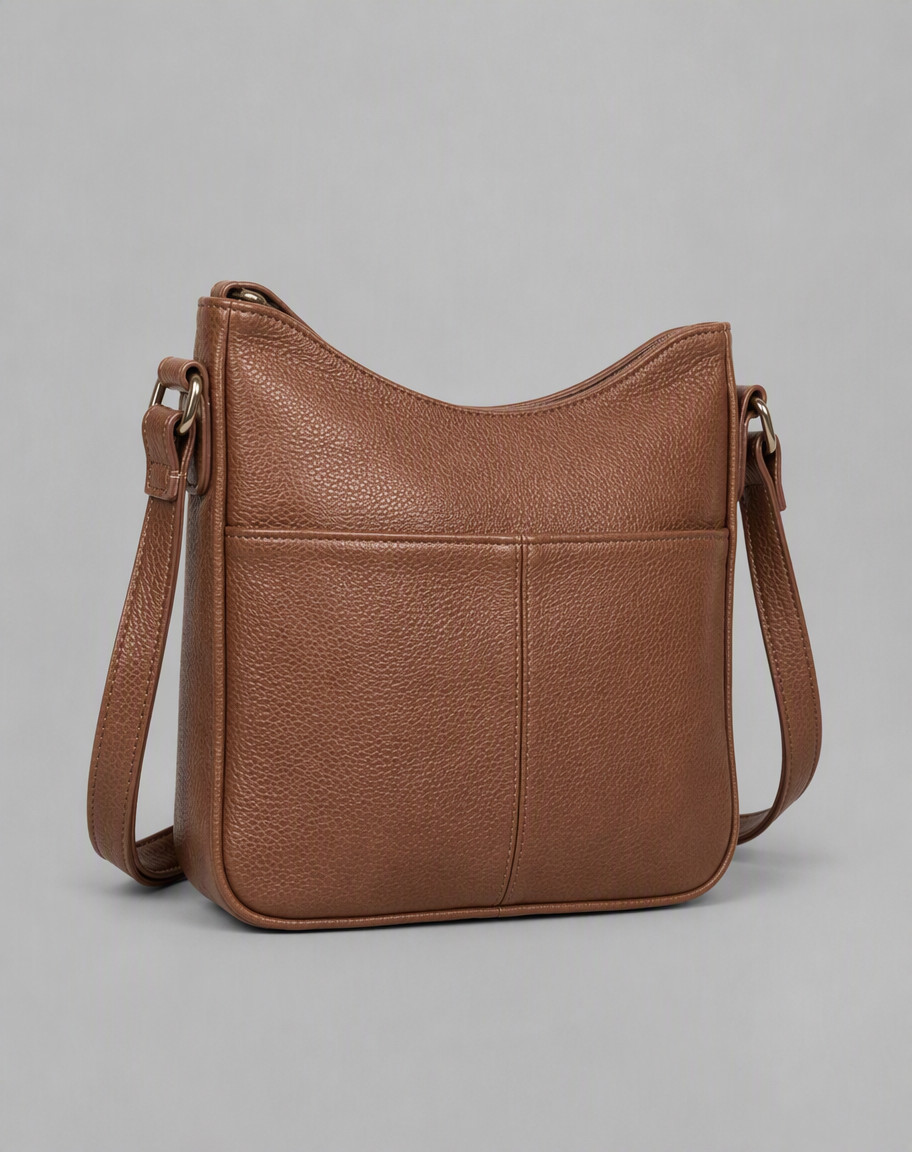
Product isolated, even lighting, neutral ground, nothing cropped. This survives being shrunk into a carousel cell and sits comfortably beside other products.
Lifestyle can work for the hero image, if the product still dominates:
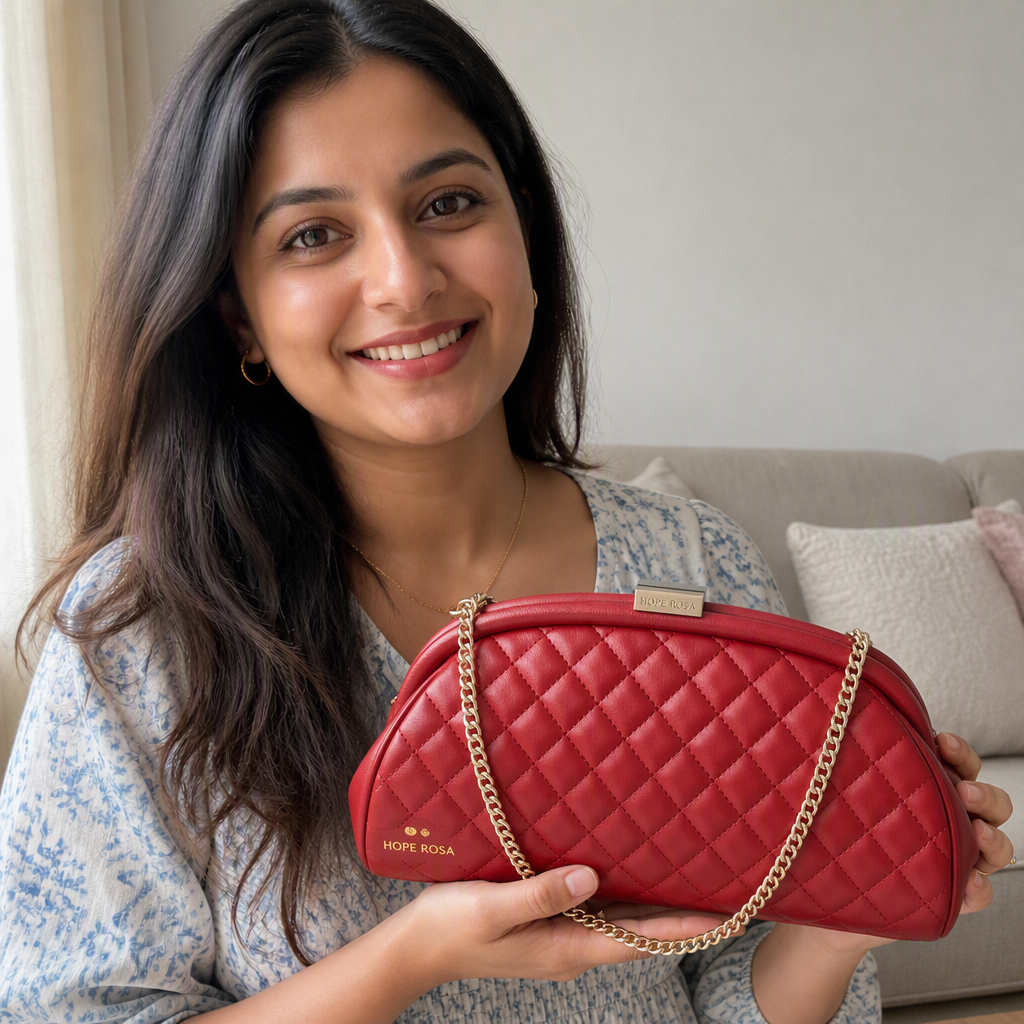
Context without losing the product. The risk with lifestyle in a feed is inconsistency: if half your catalogue is styled and half is packshots, the carousel looks assembled from two different stores.
What fails, specifically:
- Watermarks and retailer logos. They read as scraped content.
- Burnt-in price flashes or sale badges. The unit shows live price already, and a stale "40% OFF" baked into the image contradicts it.
- Collage or multi-pack images where five variants share one frame. In a small cell nothing is identifiable.
- Inconsistent backgrounds across the catalogue, which makes the carousel look untrustworthy even when each image is individually fine.
- Text overlays of any kind. Same reason as the Sponsored card: the unit supplies its own text furniture.
The feed fields that decide whether you show
Title. Write it for a person, not a search engine. Lovers Clutch, quilted leather, red beats a keyword-stuffed string. Front-load the thing the product actually is.
Price. Must be live and correct. Feed price disagreeing with landing page price is the most common cause of products being suppressed across every shopping surface, and there is no reason to expect this one to be more forgiving.
Availability. Out-of-stock products in an active feed waste impressions and produce the worst possible click.
Image URL. Must be reachable, high resolution, and stable. Images behind a CDN that rate-limits or expires are a recurring failure.
Product identifiers and attributes. Populate them properly. Sparse attributes limit how confidently the system can match your product to a conversation.
None of this is exotic. It is the same discipline that governs Google Shopping and Amazon listings, which is genuinely good news: work you have already done for those surfaces largely carries over.
The overlap with Amazon listing images
If you sell on Amazon you have already solved a version of this problem: a set of clean, square, conversion-oriented images per product, consistent across the catalogue, no watermarks, no stale badges.
The requirements are not identical, but the discipline is the same and the assets are often reusable with light rework. If you are starting from nothing, our Amazon listing images guide covers how to build a clean nine-image set from a product URL, and most of that set is directly usable as feed imagery.
A sensible order of work
- Fix price and availability accuracy first. It is the cheapest fix and the most common disqualifier.
- Rewrite titles for humans, starting with your top 20 products by revenue.
- Standardise on one image treatment across the catalogue. Pick studio or styled and stick to it.
- Replace the worst images, prioritising by revenue rather than by how bad they are.
- Only then worry about the single-image Sponsored card creative, which is a separate build covered in how to create ads for ChatGPT.
That order matters because feed problems suppress products silently, while creative problems merely underperform visibly.
Where LocalAds fits
LocalAds generates square product imagery from your real product page, so packaging, colours, and details stay accurate rather than being invented, and the treatment stays consistent across a catalogue. Both images above are unedited output.
We do not manage your Shopify feed, submit it, place ads, or guarantee that any product appears in a shopping unit. We make the images the feed points at.
FAQ
What are ChatGPT shopping ads? A product-spotlight carousel showing image, price, and checkout, added in March 2026 and powered by a Shopify integration. Unlike the single-image Sponsored card, you do not upload a creative for it; the unit assembles from your product feed, so your catalogue data and imagery are the ad.
What image size do ChatGPT shopping ads use? Square imagery, consistent with the rest of the format. Aim for clean, high-resolution square product images with the product dominant, no watermarks, no burnt-in badges, and one consistent treatment across the catalogue. Confirm current requirements with OpenAI and Shopify before building.
Do I need a Shopify store for ChatGPT shopping ads? The product-spotlight unit was launched via a Shopify integration. If you are on another platform, the single-image Sponsored card is still available, and the same square creative discipline applies.
Why is my product not showing in the shopping unit? The usual suspects are feed problems rather than creative ones: price mismatch between feed and landing page, stale availability, unreachable or low-resolution image URLs, and sparse product attributes. Fix data accuracy before you touch imagery.
Can I reuse my Amazon listing images for a ChatGPT product feed? Often yes, with light rework. Both surfaces want clean, square, consistent product imagery without watermarks or stale promotional badges. Amazon sets that include heavy infographic text are less transferable than the clean hero and in-context shots.
Should I do feed work or Sponsored card creative first? Feed work. Feed problems suppress products silently, while weak creative merely underperforms in a way you can see and fix.
The takeaway
The shopping unit removes the creative layer and exposes your catalogue directly. That is an advantage if your feed is clean and a liability if it is not. Get price, availability, titles, and image consistency right first, because no amount of good creative elsewhere compensates for a product that never surfaces.
Related reading: