On this page
A skincare product shoot used to mean a studio day, a stylist, a photographer, and a two-week wait for retouched files. For most beauty brands, that is the single most expensive and slowest step between a new SKU and a live ad. AI product photography compresses it, but only if you know what it can actually shoot and where it still needs you.
This post is a practical, honest walk through AI product photography for skincare and beauty: what a URL-to-image workflow produces, the shots it is genuinely good at, the ones it still fumbles, and how a product photo becomes an ad you can launch. We will use real generated examples throughout, because the only way to judge this is to look at the output, not the promise.
What "AI product photography" actually means for skincare
The phrase gets used loosely, so let's be precise. There are three different things people mean, and they matter for skincare specifically:
- Product-in-scene renders. The real product (your bottle, tube, or jar) placed into a generated environment: a marble counter, a bathroom shelf, a splash of water, a bed of ingredients. This is where AI is strongest for beauty.
- Texture and ingredient shots. The formula itself: a serum droplet, a cream swatch, a gel smear, a pour. Skincare lives on texture, and this is the shot that sells absorption and feel.
- On-skin and model shots. The product used on a face, a hand, a cheek. The most persuasive and the most technically demanding, because skin is the hardest thing to render believably.
Skincare is unusually well suited to the first two, because your packaging is clean and consistent and your formula photographs as texture rather than as a complex object. It is the third, on-skin realism, where you still have to be selective.
Here is how the common skincare shot types map to what AI handles today:
| Shot type | AI reliability | Keep a human on |
|---|---|---|
| Product-in-scene (counter, shelf, splash) | High | Nothing, spot-check the scene |
| Texture and ingredient (droplet, swatch, pour) | High | Realism at extreme close-up |
| Flat-lay and demo-in-use | High | Prop plausibility |
| On-skin, mid or wide shot | Medium-high | Skin realism, review at full size |
| On-skin, extreme close-up (pores, fine lines) | Low-medium | Artifacts, often reshoot |
| Readable back-of-pack / INCI text | Low | Legal text, treat as a real-photo job |
The shots AI is genuinely good at
Start with the workhorse: the product placed in a clean, on-brand scene. Here is a real generated example for CeraVe's Hydrating Facial Cleanser, staged on a bright bathroom counter with other products blurred behind it:
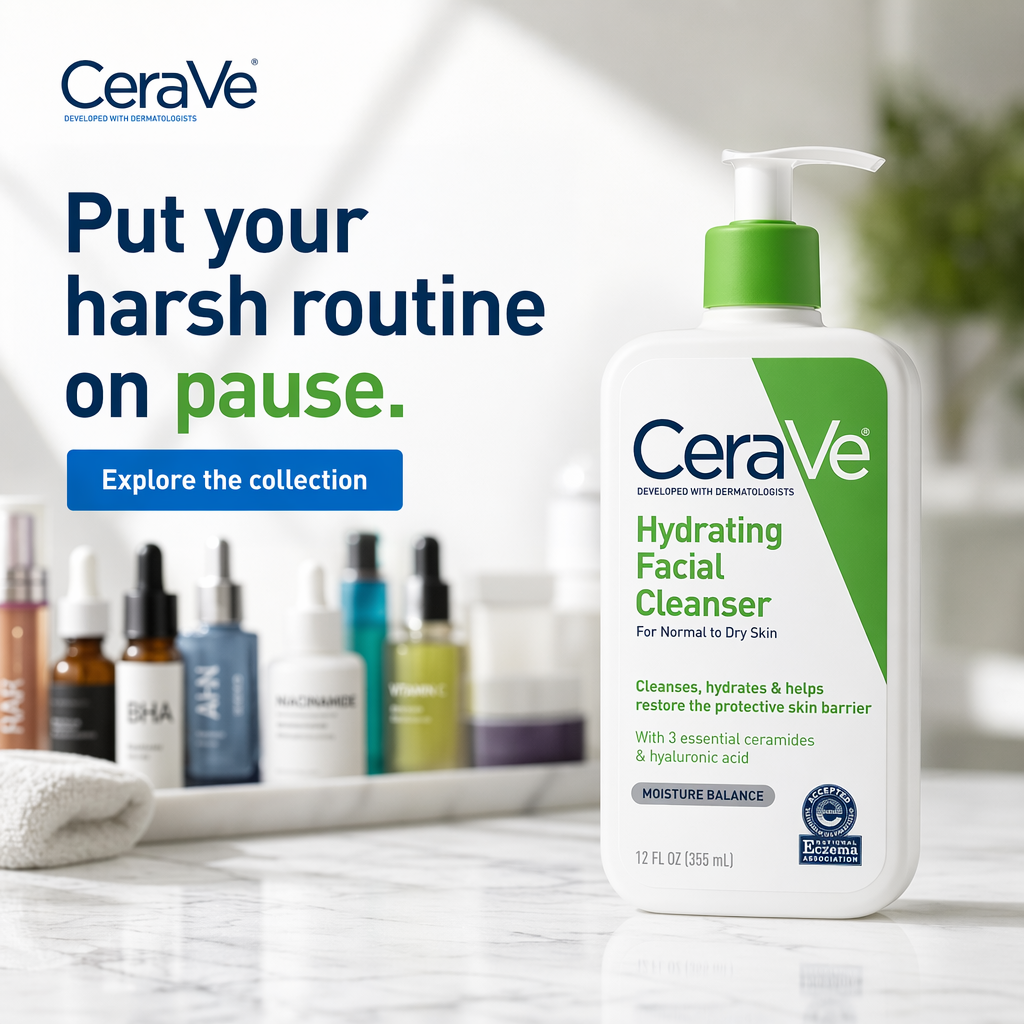
A real LocalAds output. The product label stays accurate, the counter scene reads like a real bathroom shelf, and the depth-of-field on the background bottles is the kind of detail that used to require a photographer. This is the shot that would have cost a studio half-day.
The second thing AI does well is the ingredient and texture story, which for skincare is often more persuasive than any lifestyle image. A hydration serum needs to look like it absorbs; a cleanser needs to look gentle. Here is a texture-forward render for The Ordinary's Hyaluronic Acid serum, using a water droplet to carry the ingredient callouts:
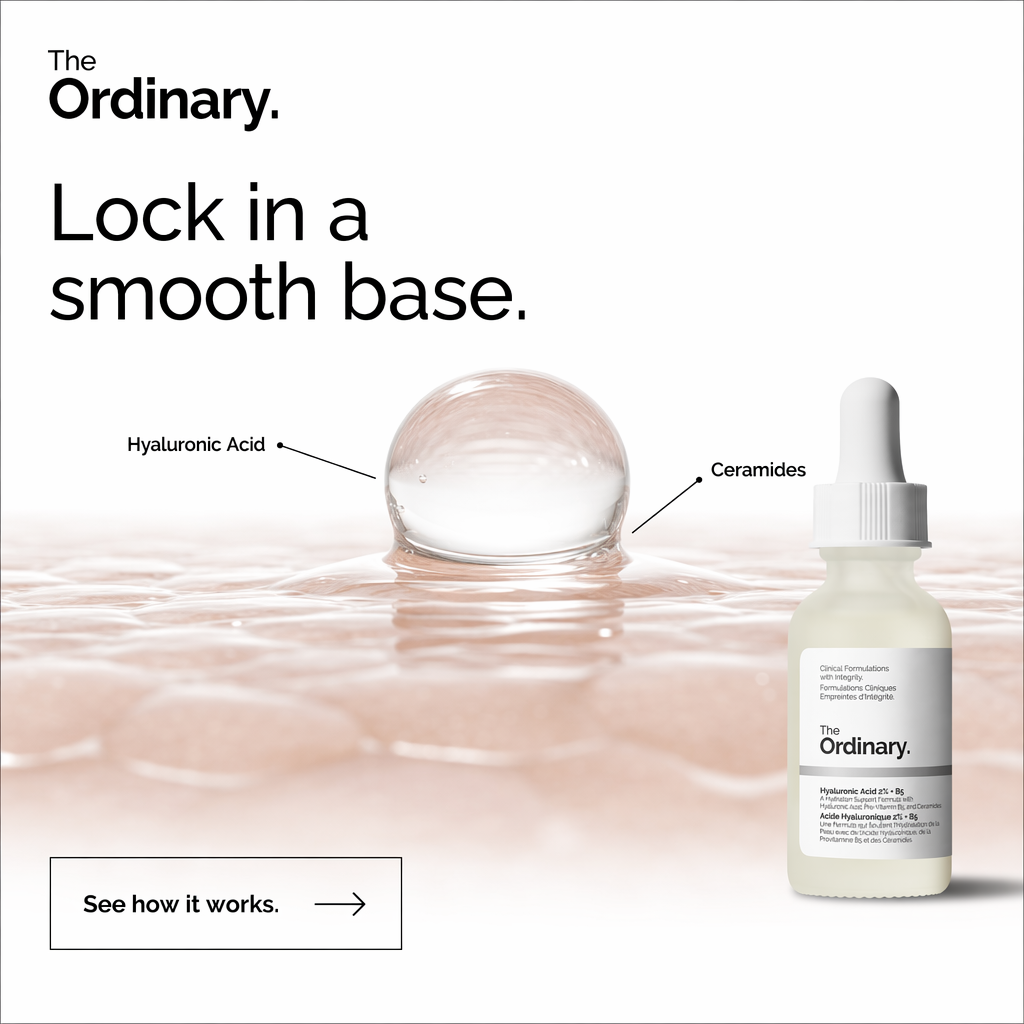
A real LocalAds output. The droplet communicates "hydration" instantly, the callouts name the actives without a medical claim, and the whole thing is a single generated frame. For an ingredient-led brand, this is the shot that does the explaining.
Third, AI handles the flat-lay and the demo-in-use. A flat-lay pairs the product with props that signal the use case; a demo shows the formula being dispensed. Both are staple skincare formats, and both generate cleanly:
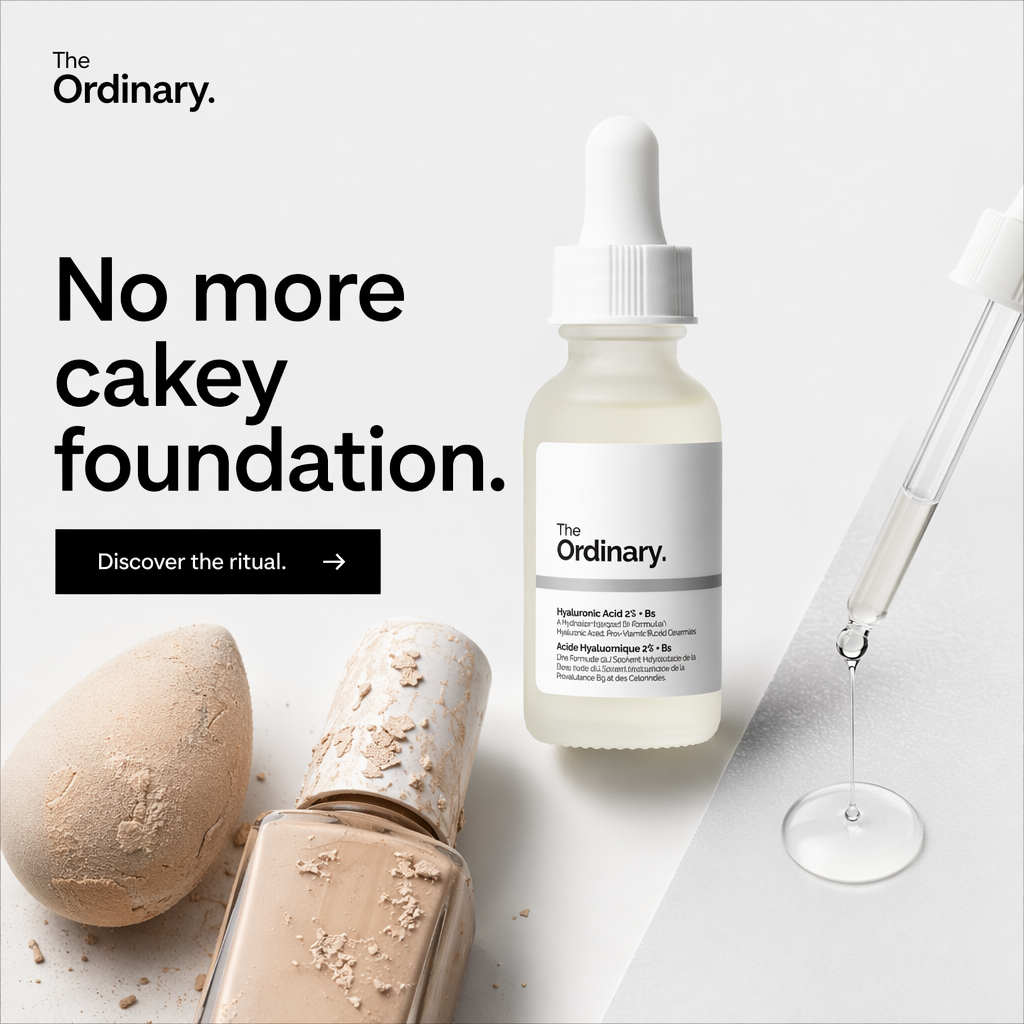
A real LocalAds output. The flat-lay ties the serum to a real use case (a smooth base under makeup), and the foundation and sponge props do the storytelling. The angle came from the product's job, not from a generic "here's a bottle" render.
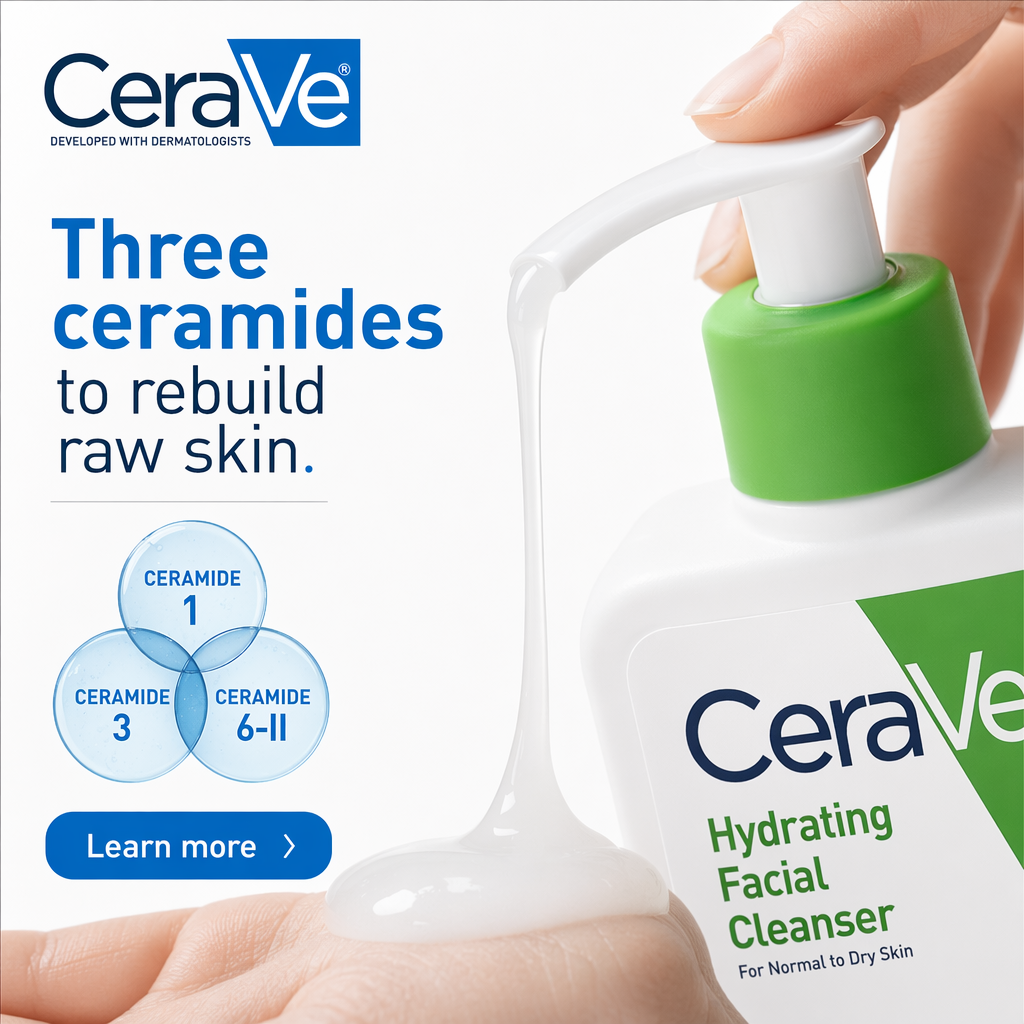
A real LocalAds output. The pour shows the texture in use, and the ceramide diagram turns an ingredient list into a visual. This is a demo shot and an explainer in one frame, which is hard to brief and easy to generate.
Notice what all four have in common: the packaging stays true, the scene matches the product's job, and the copy is baked in. That last part matters, because a product photo is not an ad until it has a headline and a layout.
Where AI product photography still needs you
Being honest about the limits is what makes this useful. Four things still need a human in the loop:
- Exact label fidelity on small text. AI renders your logo and hero claims well, but tiny back-of-pack ingredient lists and legal text can garble. If a shot needs a readable INCI list, treat that as a real-photo job or a post-edit.
- On-skin realism at close range. Wide or mid shots of skin render believably. Extreme close-ups (pores, fine lines, a swatch on the back of a hand) are where artifacts show. Use these sparingly and review at full size.
- Shade and formula accuracy. For color cosmetics the exact shade matters, and generated color can drift. For skincare this is less of an issue, but a tinted or shimmer formula still deserves a check.
- Claim discipline in the image. A generated shot will happily add a "clinically proven" flag or an invented "94%" stat if the prompt implies it. The image is a claim surface under both Meta's advertising standards and the FTC's health and beauty claim rules, so every on-image claim needs the same compliance pass your copy does. We cover that fully in compliance-safe before-and-after skincare ads, and the free ad compliance checker flags risky claims in your headline and copy before you upload.
None of these kill the workflow. They just define the boundary: AI does the expensive 80%, and you supervise the 20% that carries brand and legal risk.
From a product URL to a finished ad
Here is the part that changes the economics. The four images above were not prompted one at a time in a design tool. They were generated from a product URL.
Instead of shooting a product and then separately writing copy and laying out an ad, LocalAds reads your product page (the packaging, the real ingredients and claims, the brand tone) and generates the whole stack: the scene, the texture shot, the on-brand layout, and the copy, rendered as a static creative sized for Meta, TikTok, Pinterest, and YouTube. The product stays photographically true because it is anchored to your actual page, not reimagined from a text prompt.
That collapses three jobs (shoot, write, design) into one input. And when a still is not enough, you can animate any of these creatives into video from the same workspace (a paid-plan feature), so a texture shot becomes a scroll-stopping motion ad without booking a second shoot.
For the copy side of the same workflow, see ChatGPT ad copy prompts for skincare brands. For the full catalog view of what this looks like across a beauty range, see AI ad creatives for skincare and beauty brands. If you sell on marketplaces, the same URL also produces Amazon listing images, and if you only need clean product photos rather than finished ads, the product photoshoot flow is a style, a count, and a click.
FAQ
Can AI really do product photography for skincare? Yes, and skincare is one of the best-fit categories. Product-in-scene renders, texture and ingredient shots, flat-lays, and demo-in-use frames generate cleanly because your packaging is consistent and your formula reads as texture. The limits are tiny legal text, extreme on-skin close-ups, and exact shade accuracy, all of which need a human check.
Do I still need a real photographer? For most performance-ad use, no. For a small set of shots (readable ingredient lists, a hero campaign image where every pore is scrutinized, exact-shade color cosmetics), a real shoot or a post-edit is still worth it. The practical model is AI for volume and speed, real photography for the few hero assets that demand it.
How is this different from a normal AI image generator? A general image generator makes a picture from a text prompt and often invents your product. A URL-to-creative workflow anchors to your real product page, so the packaging, ingredients, and claims stay accurate, and it outputs a finished ad (photo plus copy plus layout at the right size), not just a loose image.
Will the generated product look like my actual product? The packaging, logo, and hero claims render accurately because they are pulled from your page. The thing to review is small back-of-pack text and exact formula color, which can drift. Always check a shot at full size before it goes live.
Can I turn these product photos into video? Yes. Any static creative can be animated into video inside the same workspace, so a texture pour or a counter scene becomes a short motion ad. That means one product URL can produce both your static and your video creative.
The takeaway
AI product photography is not a gimmick for skincare, it is a genuine shortcut through the most expensive step in your ad pipeline. It is excellent at product-in-scene renders, texture and ingredient shots, flat-lays, and demos, and it stays weak on tiny legal text and extreme on-skin close-ups, which is exactly where you should keep a human.
The bigger unlock is skipping the hand-off between shoot, copy, and design entirely. Point a URL-to-creative workflow at your product page and you get the photo, the copy, and the layout as one finished ad, with the option to animate it into video. Generate ads from your product URL and see what a full skincare shoot looks like when it takes minutes instead of a studio day.
Related reading: