On this page
Video outperforms static in most beauty feeds, and it is still the format most brands skip, because a shoot means a studio, a model, a videographer and an edit. That gap has closed further than most beauty marketers realise, and in two different directions at once.
"AI video ad" now covers two genuinely different products, and picking the wrong one is why beauty brands come away disappointed. You can animate a static creative you have already approved into a short motion ad, which is fast, cheap and completely faithful to your product and shade. Or you can generate a 30-second creator-led UGC video with a script, a performance and a voiceover, which is a different job entirely.
This post covers both, with real generated video for beauty brands so you can judge each format yourself, plus straight answers on the two things beauty brands ask most: whether AI can do before-and-after video, and whether it can produce something that reads as an actual commercial.
The fastest AI beauty video is an animated still
Here is the mental model that makes this practical. There are three different ways to "make an AI video ad", and they are not interchangeable:
- Generate a video from scratch from a text prompt. A model invents the footage. Impressive in a demo, hard to control, and for beauty it struggles badly with product and shade fidelity, because it has never seen your tube.
- Animate an existing static creative into motion (image-to-video). You start from a finished, on-brand ad you already trust and add movement: a gloss that catches the light, a subtle push-in, a product that turns. Controlled, on-brand, and measured in seconds.
- Generate a creator-led UGC video from your product page: a scripted 30-second ad with a creator, a performance, product cutaways and a voiceover. A different format doing a different job, covered further down.
Start with the second path, because your static creative is already accurate: the right product, the right shade, the right copy. Animating it keeps all of that and simply adds the motion that makes a thumb stop. You are not gambling on a model inventing your product; you are giving a known-good frame a life.
Take a product-hero still like this weightless lip oil shot:
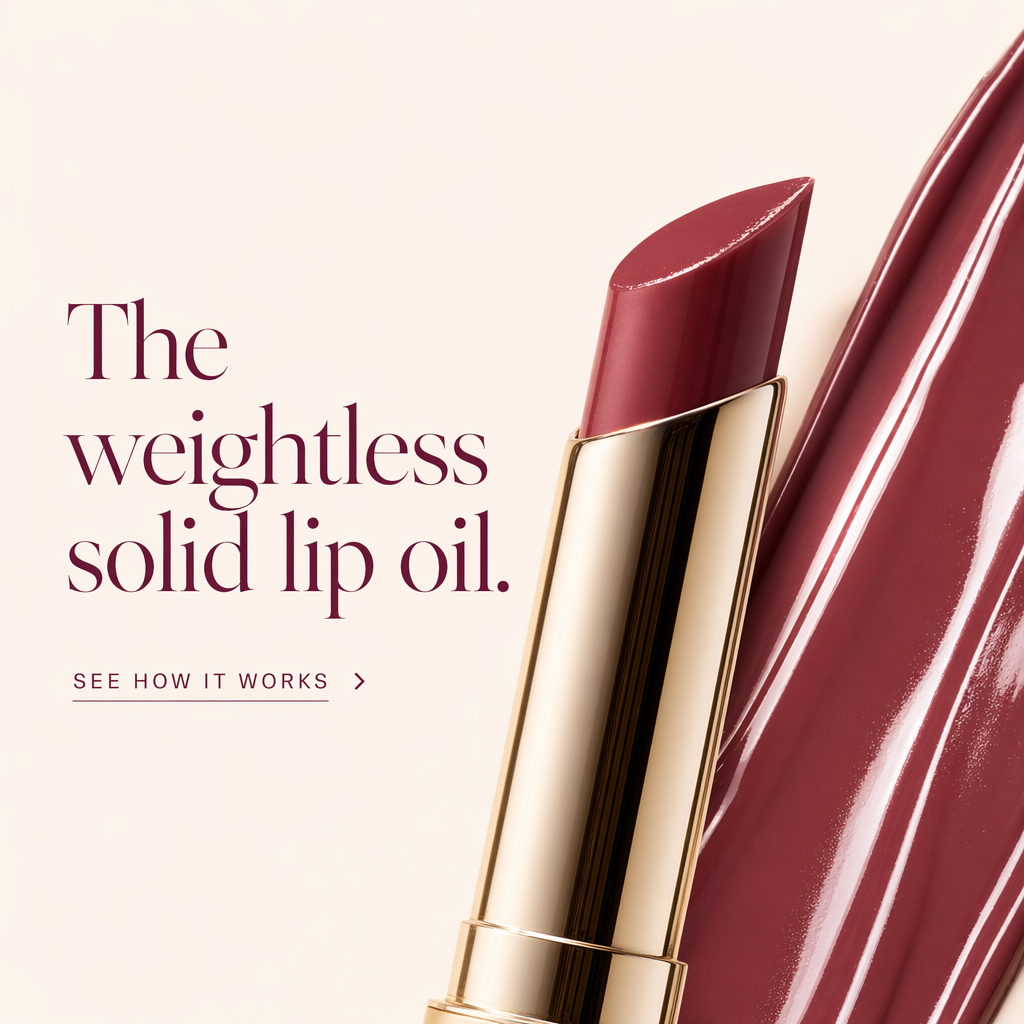
A real LocalAds static output. As a still it already sells the finish. Animated, the glossy swatch catches light and the product turns slightly, which is exactly the kind of motion that lifts a beauty ad in the feed, generated from this frame rather than shot on a set.
What image-to-video is genuinely good at for beauty
Animation from a still is not a full commercial, and that is fine, because beauty video ads do not need to be. Here is what animates well versus what to avoid:
| Motion | Effect | Safe to use |
|---|---|---|
| Light across gloss, oil, or shimmer | Makes finish read as real | Yes, the highest-impact beauty motion |
| Subtle product rotation or push-in | Adds life to an accurate product | Yes |
| Texture in motion (swatch, droplet) | Sells feel and formula | Yes |
| Scene parallax and ambient movement | Makes a lifestyle shot feel filmed | Yes, keep it gentle |
| A hand applying product | Full demo | Risky from a still, use UGC video instead |
| Facial expressions or talking | Creator-style delivery | Not this format, use UGC video instead |
The motions that actually drive performance are small and specific:
- Shine and shimmer. Light moving across a gloss, an oil, a highlighter. This is the single most effective beauty motion, and it is exactly what a still cannot show.
- Subtle product motion. A slow push-in, a gentle rotation, a tube tilting into frame. Adds life without changing the accurate product.
- Texture in motion. A swatch spreading, a droplet forming. Sells feel and formula.
- Scene ambience. A soft parallax on a lifestyle background, hair or fabric moving slightly. Makes a lifestyle shot feel filmed.
Here is a lifestyle still that animates well, because the scene has natural motion to imply (a real moment at a desk) without needing the product itself to do anything complex:
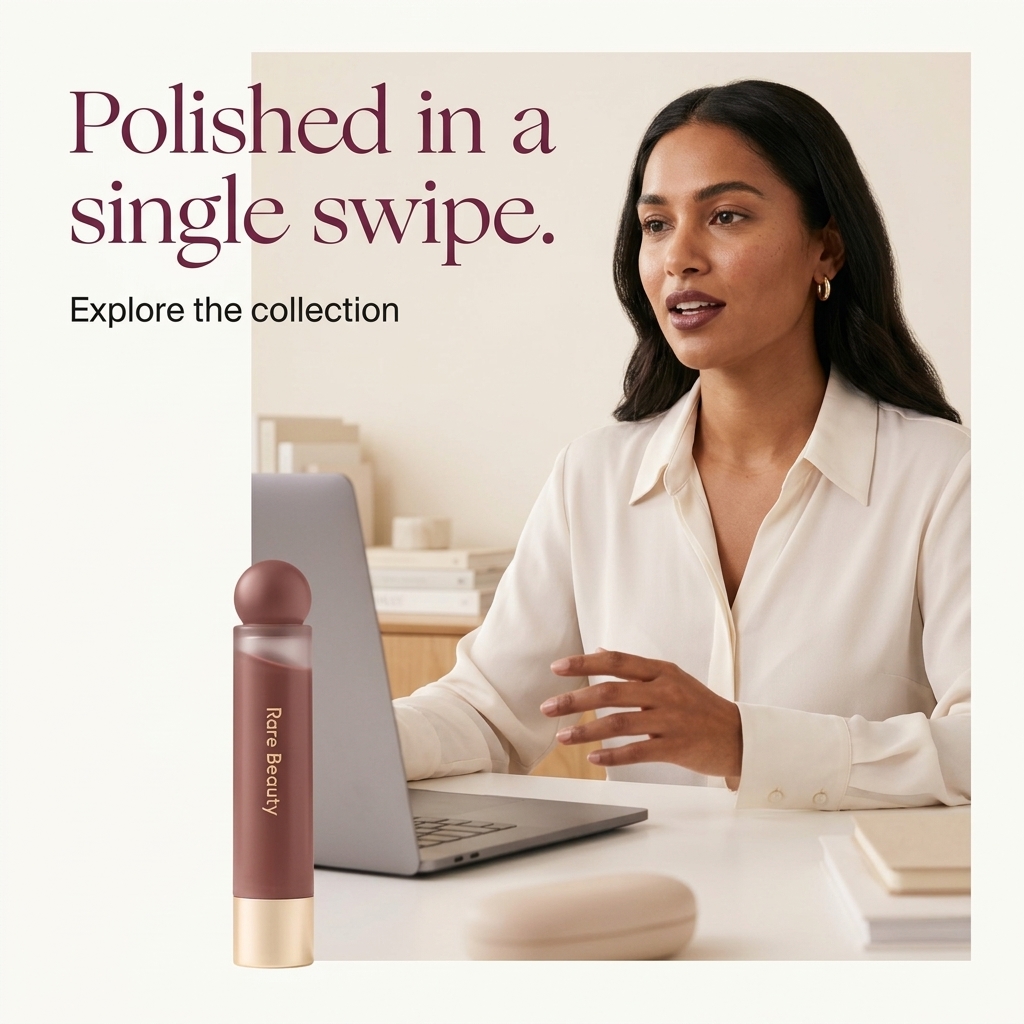
A real LocalAds static output. Animated, a scene like this gets a subtle parallax and ambient movement that reads as "filmed," turning a lifestyle image into a short video ad without a set, a model call, or an edit.
And an ingredient-led hero, where the motion sells the formula story:
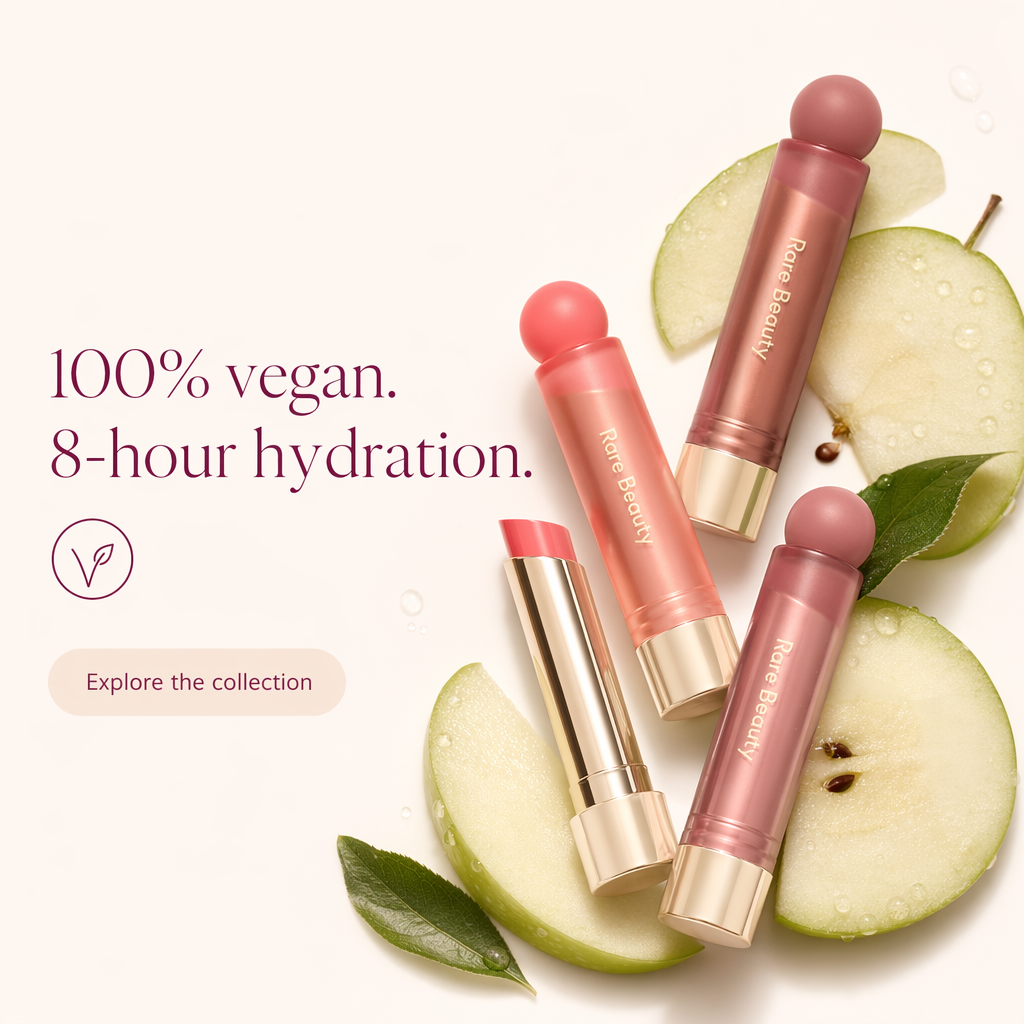
A real LocalAds static output. Animated, the light shifts across the products and the arrangement gains gentle depth, so the "vegan, hydrating" story lands with motion. The claims stay exactly as approved because the frame is unchanged, only animated, which keeps you inside Meta's advertising standards instead of re-rolling the compliance dice on freshly generated footage.
Real animated stills, in motion
Two animate-to-video outputs, so the format is concrete rather than described. Both run about five seconds, which is the native length for this kind of ad.
Animated from an approved static for L'Oreal Professionnel's Curl Expression shampoo. The whole value is in what does not change: the magenta gradient, the accented wordmark, and the full label block down to "GLYCERIN + UREA H" and "300 ml" stay exactly as approved, while the light and water move. Nothing was re-generated, so there was nothing new to re-approve.
Animated from a static for Valenxia Vanity's press-on nails. This is the best possible case for the format: glitter, foil and pearl are finishes a still photograph physically cannot convey, and a few seconds of moving light sells them in a way no static ever will.
Creator-led UGC video: the other format
Animating a still cannot give you a person talking about your product. That is a separate format, and it is now a normal thing to generate rather than a shoot to book.
A creator-led UGC ad is built from a script rather than a frame: a creator performing to camera, product cutaways cut in against the real packaging, and an AI voiceover. Thirty seconds, vertical, feed-native. It is the format that dominates beauty on TikTok and Reels, and until recently the only way to get one was to brief and pay a creator.
A generated creator-led UGC ad for Fix My Curls' Everyday Moisturizing Shampoo. Note what the format buys you that an animated still cannot: a real setting, wet hair, a product being dispensed into a palm, and a spoken claim. Note also what still needs your eye: the bottle in hand is the fidelity risk in this format, because the creator footage is generated around the product rather than from a frame you signed off.
Which format for which job:
| Animate-to-video | Creator-led UGC | |
|---|---|---|
| Length | A few seconds | Around 30 seconds |
| Built from | A static you already approved | A script and your product page |
| Product fidelity | Inherited, effectively perfect | Good, but check every cut |
| Best for | Finish, texture, shine, shelf appeal | Demonstration, routine, social proof |
| Compliance load | Low, the frame is unchanged | Higher, the script makes claims |
| Where it wins | Feed and story placements | TikTok, Reels, cold prospecting |
The honest rule: animate-to-video is the safe default and should be most of your video volume. UGC video is what you reach for when the job genuinely needs a human saying something.
Can AI make before-and-after beauty videos?
Technically yes, and you should be careful, because this is the single most rejected format in the category.
Before-and-after is not a creative problem in beauty, it is a claims problem. A video that shows skin visibly changing is making a treatment claim, and Meta's advertising standards restrict exactly this, while in the US the FTC's health products compliance guidance requires you to be able to substantiate it. Generating the transformation does not generate the evidence.
What works instead, and what we would actually run:
- Problem-state to product-in-use, rather than problem-state to resolved-state. You show the moment the product enters the routine, not a claimed outcome.
- Application and texture, which demonstrates the product without promising a result.
- Genuine documented results, where you hold real substantiation and the footage reflects it honestly.
We cover the static version of this in detail, including what passes review and what does not, in compliance-safe before and after skincare ads. Every rule there applies to video, and applies harder, because motion makes an implied claim feel more like a demonstrated one.
What about a full beauty commercial?
This is the query behind a lot of "AI commercial production for beauty brands" searches, so it deserves a straight answer rather than a sales one.
You can get something that reads as a polished commercial for a feed. A 30-second creator-led UGC ad with a proper script, product cutaways and a voiceover is a legitimate commercial for paid social, and it costs a fraction of a shoot. For most beauty brands running Meta and TikTok, that is the commercial they actually needed.
What you cannot yet get from a prompt is a multi-scene brand film with directed talent, continuity across shots and a soundtrack cut to picture. If you are making a hero asset for a launch, a retail screen or TV, that is still a production, and treating AI as a replacement for it will disappoint you.
The useful way to divide the budget: generate the volume, which is the paid-social creative you burn through weekly, and shoot the one or two hero assets a year that genuinely justify a crew.
Where AI beauty video still stops
The honest boundary, so you buy this for what it is:
- It adds motion, it does not direct a scene. Image-to-video animates a frame. It will not write a three-shot narrative, cut between angles, or stage a complex demo. For that you still need editing or a shoot.
- Big motions expose artifacts. Small, tasteful movement looks great. Large motion (a full hand applying product, a face making expressions) is where realism breaks. Keep the motion subtle.
- Shade still needs its check. Since you animate a static you already approved, shade accuracy is inherited, which is an advantage. Just make sure the underlying still was shade-correct first.
- Animated stills are short by design. A few seconds, feed-native. If you need someone speaking, that is the UGC format above, not this one.
- UGC video carries a higher review load. A script makes claims that a frame does not, and the product is rendered around the creator rather than inherited from an approved still. Watch the packaging in every cut and read the script the way your regulator would.
- Neither is a brand film. Multi-scene narrative with directed talent, continuity and a scored edit is still a production.
Used within those limits, generated video gives you the format's performance lift without the format's cost. Push past them and you will see the seams.
The workflow: product URL to static to video
The reason this is fast is that video is the last step, not a separate project.
With LocalAds, you give a product URL and it generates a set of finished, on-brand static creatives from your real page (accurate product, shade, and claims, copy baked in, sized for every placement). From there you branch: animate the winners into motion ads, or generate a 30-second creator-led UGC ad from the same product page. One input, three formats, no re-briefing and no second tool. Animating in particular carries no fidelity risk at all, because the video is built from a frame you already approved.
One practical note on plans: Video Ads is a paid-plan feature, so the 3-day trial covers the static side of this workflow. See how video ads work for the video side.
For the static side of this workflow, see AI ad creatives for makeup and lip brands and AI product photography for skincare. To choose where video fits among your tools, see best AI ad tools for beauty brands.
FAQ
How do beauty brands make AI video ads without a studio? The most reliable way is to animate a static creative into motion (image-to-video) rather than generate video from scratch. You start from a finished, on-brand ad, then add subtle movement, shine, a push-in, texture, so it keeps your accurate product and shade while gaining the motion that lifts performance in the feed.
Is AI video the same as generating a commercial from text? No. Text-to-video invents footage and struggles with product accuracy. Animating a static you already trust keeps your real product, shade, and claims and simply adds motion. For beauty, animating a known-good frame is far more controllable than generating a scene from a prompt.
What kind of motion works best for beauty video ads? Small, specific motions: light moving across a gloss or oil, a subtle product rotation or push-in, a swatch spreading, gentle parallax on a lifestyle scene. These read as "filmed" and stop the scroll. Large motions like a hand applying product or facial expressions are where artifacts show, so keep it subtle.
What is the best AI video ad creation tool for the beauty industry? Judge it on two things: whether it can animate a static you have already approved without changing the product, and whether it can generate a creator-led UGC ad from your product page rather than from a prompt. Beauty lives or dies on shade and packaging fidelity, so a tool that generates video from the same page as your statics will drift less than one you brief separately.
Can AI make before-and-after videos for skincare or beauty ecommerce? It can generate them, but before-and-after is a claims problem rather than a creative one. A visible transformation is a treatment claim that Meta restricts and the FTC expects you to substantiate, and generating it does not generate the evidence. Safer and generally as persuasive: problem-state to product-in-use, application and texture demonstrations, or genuine documented results you can back up.
Can AI produce a polished commercial for a small beauty brand? For paid social, yes. A 30-second creator-led UGC ad with a script, product cutaways and voiceover is a legitimate commercial for Meta and TikTok at a fraction of shoot cost. What it will not give you is a multi-scene brand film with directed talent and continuity, so keep a budget for the one or two hero assets a year that genuinely need a crew.
Are these full-length video ads? Animated stills are short, feed-native motion ads of a few seconds. Creator-led UGC ads run around 30 seconds, which is the standard length for beauty on TikTok and Reels. Neither is a multi-scene brand film, so if you need directed narrative you still need a production.
Does animating a still keep my product accurate? Yes, that is the main advantage. Because the video is built from a static creative you already approved, the product, shade, and claims are inherited unchanged. Make sure the underlying still is correct first, and the video will be too.
The takeaway
You do not need a studio to run beauty video ads. The practical path is to generate accurate static creatives from your product page, then animate the best ones into short motion ads, keeping your real product, shade, and claims while adding the movement that lifts performance. Image-to-video is excellent at shine, subtle product motion, and scene ambience, and it stops at multi-shot direction and big movements, which is exactly the right tool for feed-native beauty video.
Because the video is just the last step on top of a static you already trust, one product URL can give you both formats. Generate ads from your product URL, pick your best statics, and animate them into video without booking a single shoot day.
Related reading: