On this page
A traditional product shoot runs anywhere from 5,000 to 15,000 dollars and takes a week to schedule, shoot, and retouch. AI product photography does the same job for under a dollar an image in minutes. In 2026 the quality gap has closed far enough that, in controlled studies, most shoppers cannot tell a well-made AI image from a studio one, and roughly 71% cannot distinguish AI apparel photos from real photography.
So the cost case is settled. The two things that still trip teams up are the parts that decide whether the images actually sell: accuracy and scene. Generic tools redraw your product and shift its color, blur its logo, or lose the stitching detail, and they make you write prompts to describe the scene you want. Both of those are friction, and both are solvable.
This post covers what good AI product photography actually requires, how to match the scene to your product and use case, and how to produce accurate, ready-to-use shots from a single product URL without writing a prompt.
Why most AI product photos look "off"
The tell of a bad AI product photo is almost never the background. It is the product. Text-only generation, where you describe the item in words and the model invents it, produces a generic approximation rather than your actual product. For a real item you are selling, that is a dealbreaker: colors drift half a shade, fine text and logos turn to mush, and specific design details like stitching, button placement, or hardware go subtly wrong.
The fix the best tools use is to start from your real product rather than a description, and to preserve it faithfully while changing everything around it. This is the whole game for ecommerce: the scene can be generated, but the product has to stay exactly itself, because the shopper is comparing the photo to what they expect to receive. Accuracy is not a nice-to-have here. It is the difference between a sale and a return.
Match the scene to the product and the use case
The second thing that separates a converting image from a pretty one is choosing the right kind of scene. Different products and different placements call for different shots, and getting this wrong is why a technically clean image still fails to sell.
Apparel: on model, lifestyle, or product only
For clothing, the format you choose moves conversion more than almost anything else. On-model imagery lifts conversion rates by roughly 20% to 50% over flat product shots, because shoppers need to judge fit before they buy. Structured garments like jackets, dresses, and tailored pieces especially need a person in the frame. Flat lay and product-only shots are cheaper and read well as editorial content on Instagram and Pinterest, but they do not sell on a product page the way on-model does. The right answer is usually a mix: on-model for the hero and the ad, lifestyle for social, product-only for the spec view.
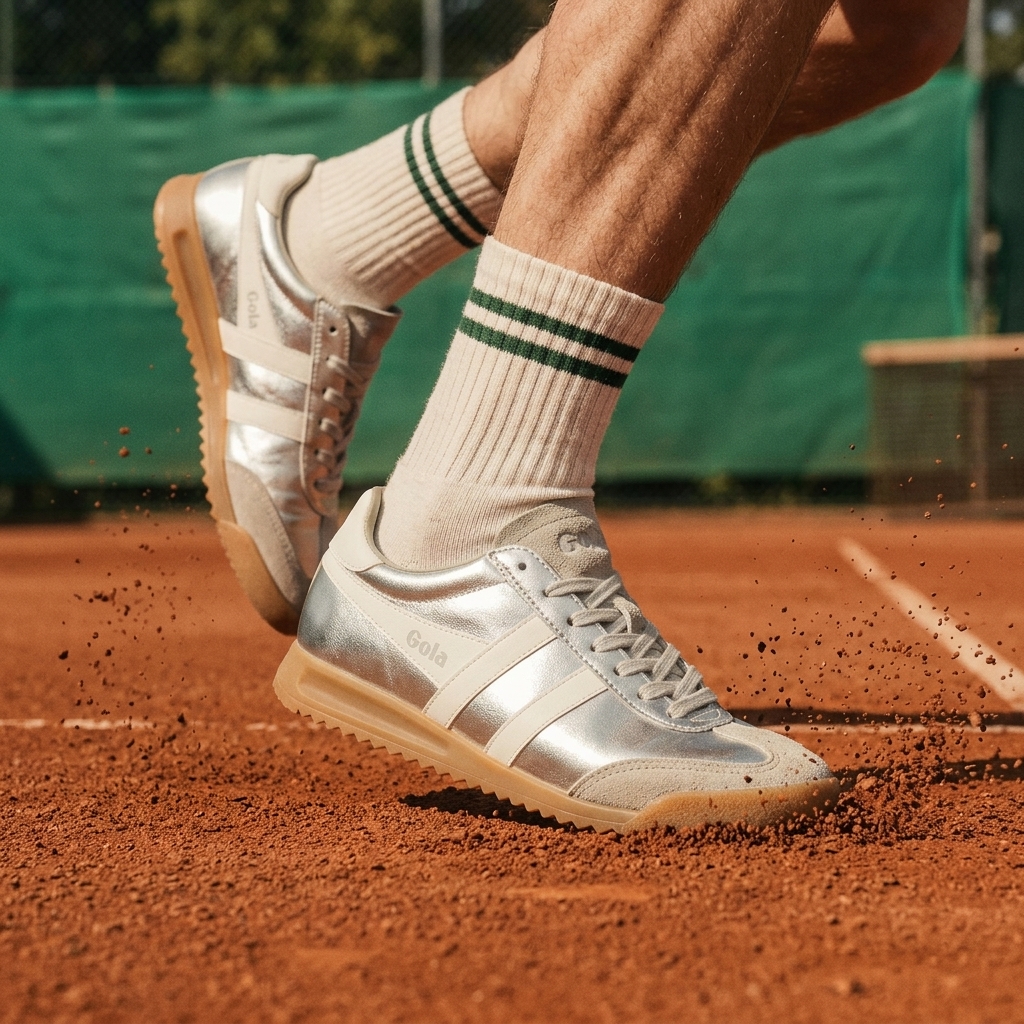
A real LocalAds photoshoot output for the footwear brand Gola, generated from the product URL: on-model, in motion, on a clay court that matches the heritage-tennis positioning. And the shoe itself, down to the metallic finish and wordmark, stays exactly true to the real product.
Food: homestyle, social, or appetite first
For food products the scene sets the emotional context. A homestyle meal setup signals comfort and everyday use. A table with kids eating signals family and approachability. A tight, appetite-first shot signals indulgence. The same product photographed three ways speaks to three different buyers, and you want to choose deliberately rather than settle for whatever a single shoot produced.
Everything else
The principle holds across categories: a candle wants a warm room, a tool wants a worksite or a workbench, a skincare bottle wants a clean bathroom shelf or a spa-like surface. The scene is a strategic choice, not a default, and you should be able to pick it as easily as picking from a menu, not by hand-crafting a prompt for each one.
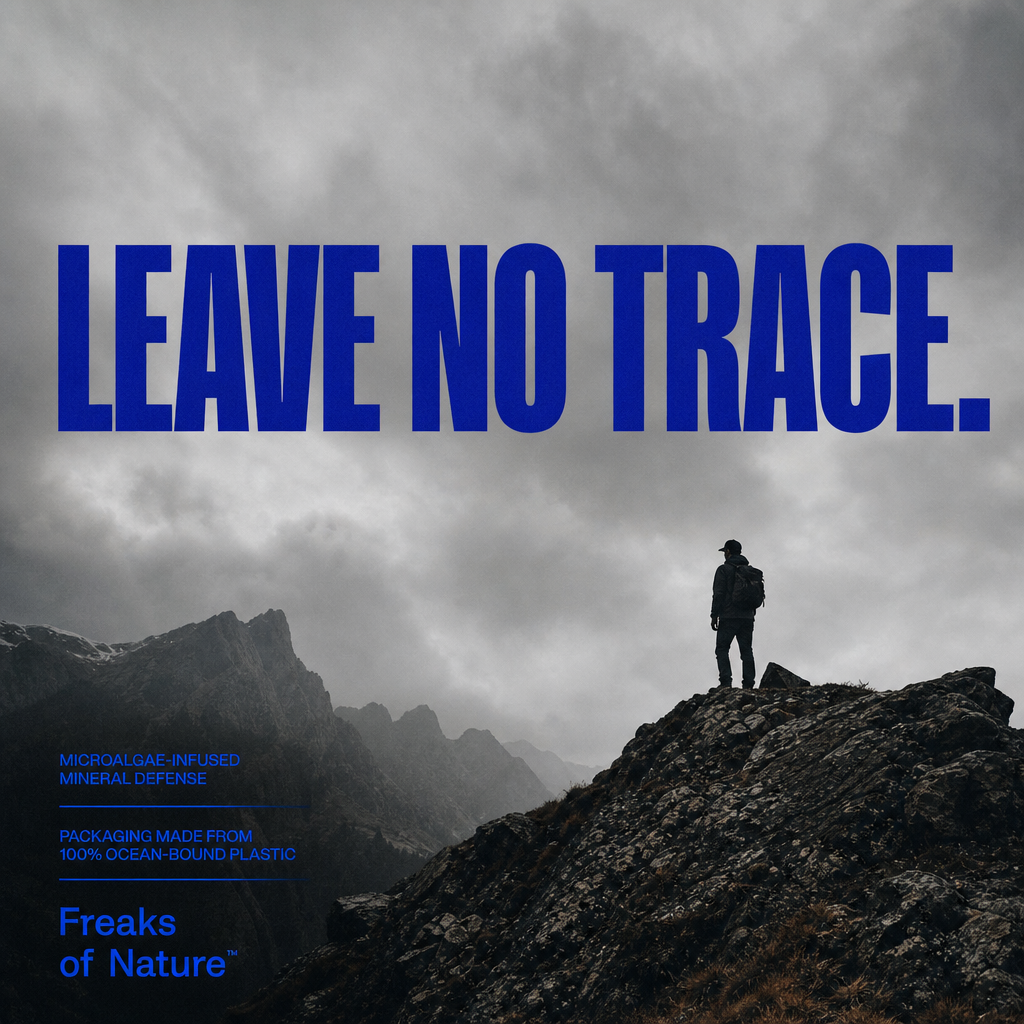
Skincare wants skin: this LocalAds output for the sunscreen brand Freaks of Nature puts the texture on a real neckline in golden-hour light. An appetite-first shot, but for SPF. If you run skincare or beauty, see our full guide to AI ad creatives for skincare and beauty brands.
Why prompting is the wrong interface for this
Most AI photography tools make you describe the scene in text. That sounds flexible, but in practice it means you become an unpaid prompt engineer, tweaking wording to coax out "warm natural light, shallow depth of field, oak table, morning" and re-rolling when it comes back wrong. It is slow, it is inconsistent across a catalog, and it has nothing to do with the actual decision you are trying to make, which is simply: on-model or flat lay, homestyle or appetite-first.
The better interface is to choose the use case directly. You know your product and where the image is going. The tool should turn that choice into the shot, not ask you to translate it into a paragraph of prompt language.
How LocalAds does product photography from one URL
This is the part LocalAds handles. You paste your product URL, it reads the page and the product, and it produces high-quality, accurate photoshoot creatives in minutes, with no prompting. Instead of asking you to write a scene description, it lets you choose by use case: for a food product you pick whether you want a homestyle meal setup, a kids-at-the-table scene, or an appetite-first close-up; for apparel you choose on-model, lifestyle, or product-only. For a fashion-specific walkthrough with real generated apparel ads, see AI ad creatives for fashion and apparel brands.
The priority throughout is accuracy. LocalAds keeps your real product faithful in every shot rather than redrawing it, so colors, logos, and details stay true to what actually ships. That is the failure mode that sinks most AI product photos, and it is the one this is built to avoid.
There is one more capability worth calling out, because it solves a problem catalogs hit constantly: SKU swap. Once you have a background or scene that works, you can swap in a different SKU and keep the same setting, so a whole product line gets a consistent, on-brand look without reshooting each item. No prompting for that either. You can browse the showcase to see the range of scenes before running your own, and start a trial here.
What this changes about your catalog workflow
For a new product, the slow step has always been the shoot. Scheduling a photographer, a studio, and a model, then waiting on retouching, is the reason product pages launch with a single packshot and "more photos coming." Generating an accurate on-model and lifestyle set from the URL means you launch with a full gallery on day one.
For an existing catalog, the leverage is consistency. Reshooting fifty SKUs to give them a unified look is a budget line most teams never approve. Choosing one scene and swapping each SKU into it turns that into an afternoon, and a consistent gallery across a line is its own conversion lift because it reads as a real, considered brand rather than a pile of mismatched supplier photos.
FAQ
Is AI product photography accurate enough to use on real listings? Yes, if the tool starts from your real product and preserves it rather than generating from a text description. The accurate approach keeps colors, logos, and design details faithful and only changes the scene around the product. Tools that redraw the product from a prompt produce approximations that hurt trust and drive returns.
Can AI product photography replace a studio shoot? For most catalog, lifestyle, and ad images, yes, at a fraction of the cost: studio shoots run 5,000 to 15,000 dollars while AI images cost about a dollar each, and most shoppers cannot tell the difference when the work is done well. A physical shoot can still make sense for a flagship hero image or where a brand wants a specific art direction.
What scene should I use for product photos? Match the scene to the product and where the image will appear. Apparel converts best on-model on product pages (a 20% to 50% lift over flat shots) and reads well as flat lay or lifestyle on social. Food benefits from contextual scenes like a homestyle meal or an appetite-first close-up. Pick the format deliberately rather than using one shot everywhere.
Do I need to write prompts to get AI product photos? Not with a use-case-driven tool. Instead of describing the scene in text, you choose the outcome directly, such as on-model versus product-only, or homestyle versus appetite-first, and the tool produces the shot. LocalAds works this way from a single product URL with no prompting.
Can I keep the same look across an entire product line? Yes. With SKU swap you set a background or scene once and place each SKU into it, so a full catalog gets a consistent, on-brand gallery without reshooting every item individually.
The takeaway
AI product photography has won on cost and quality. What still decides results is whether the product stays accurate and whether the scene fits the use case. The tools worth using solve both: they keep your real product faithful, and they let you choose the shot by use case instead of by prompt.
If your catalog is running on mismatched supplier photos or a single packshot, paste a product URL into LocalAds, pick the scenes that fit, and get an accurate, ready-to-use set in minutes. No studio, no retouching queue, no prompting.
Related reading: